Electric System
Note
The status of the batteries has to be monitored regularly in order to avoid blackouts and battery aging.
Warning
Do not leave OCM with the big generator running unattended. Also do not leave OCM when generator is in the automatic mode.
Warning
When the big generator is running in manual mode, check the battery charge level regularly. Remember to stop the generator after the batteries are charged. Set a timer on your phone to remind you about it.
Note: Periodical running of the generators
Both generators must be started periodically to ensure they are working properly and to allow the combustion engines
to run time to time as they should.
It is recommended to start them once a month for a few minutes.
Currently, Miguel Murphy is responsible for the generator maintenance and these periodical checks, so it's
not scheduled in the OCM calendar.
Power plant
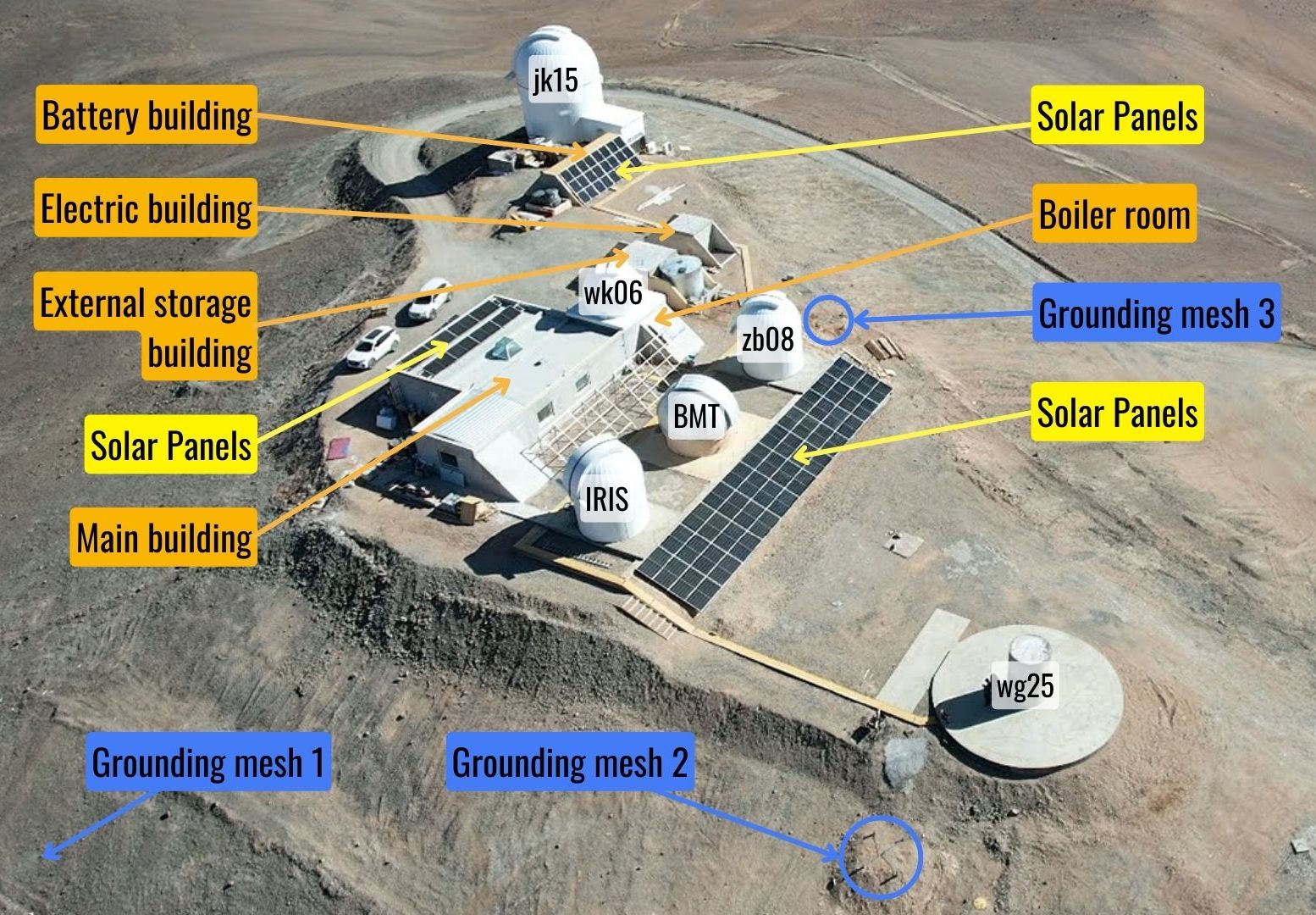
The main source of electric power in OCM are solar panels, delivered by a German company SMA (System, Mess and Anlagentechnik). There are 3 arrays of solar panels: - on the slope behind the platform with three telescopes, - on the roof of the main building, - on the wall of the battery building (Fig. 1).
Total available peak power of the solar panels is almost 36kW. Current energy production rate depends on the season (higher in the summer) and on the Sun altitude. In the summer we expect about 280kWh to be produced every day, in the winter it will be about 200kWh.
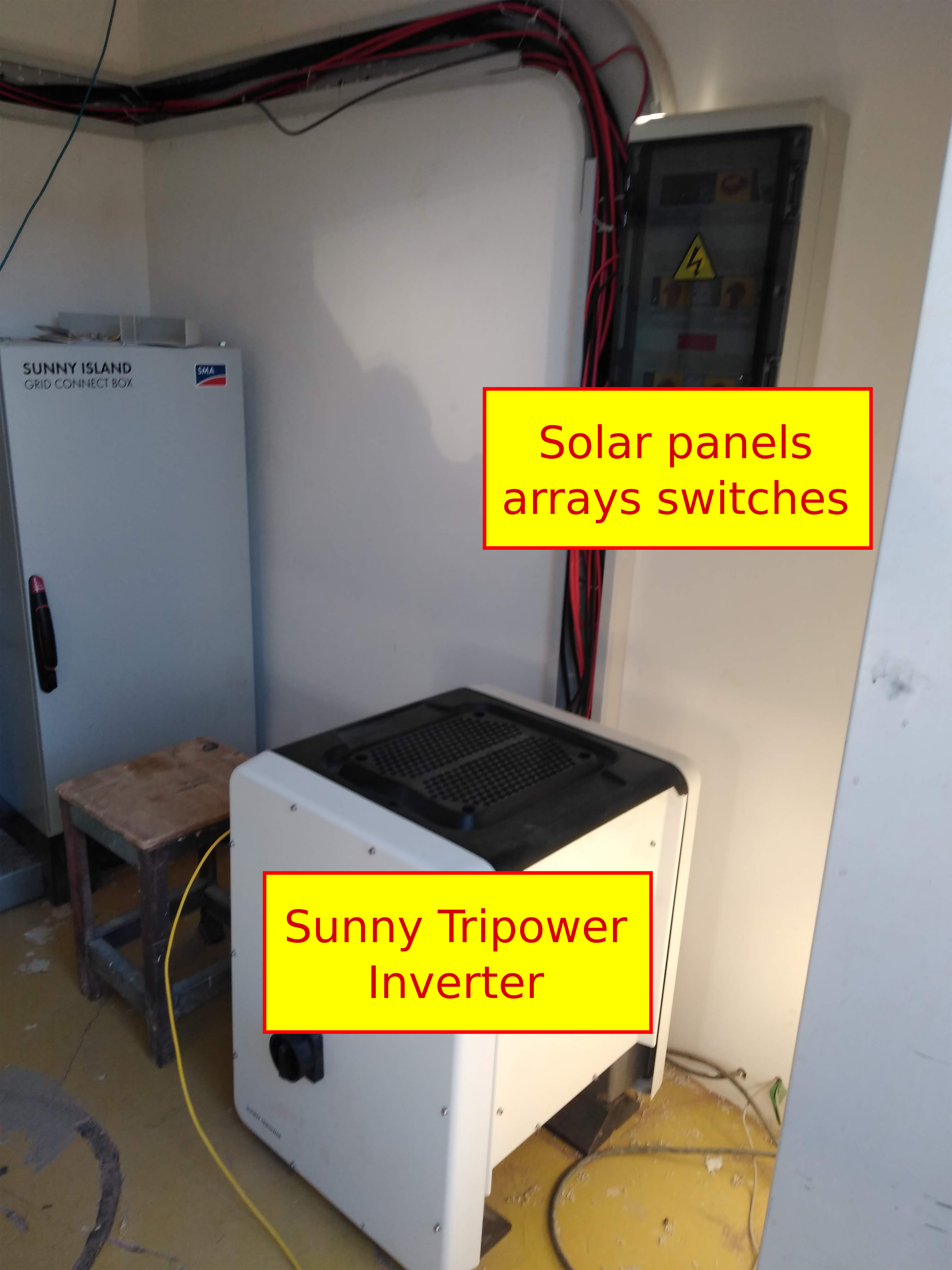
Every array of solar panels is connected to the Sunny Tripower Inverter (3-phase inverter), located in the Electric building (see Fig. 2). Arrays of solar panels can be disconnected from the inverter using switches on the wall above the inverter (there are 6 switches as some arrays are divided into subrarrays), but it is not needed as long as we do not have any problems with a given array (e.g. broken solar panel).
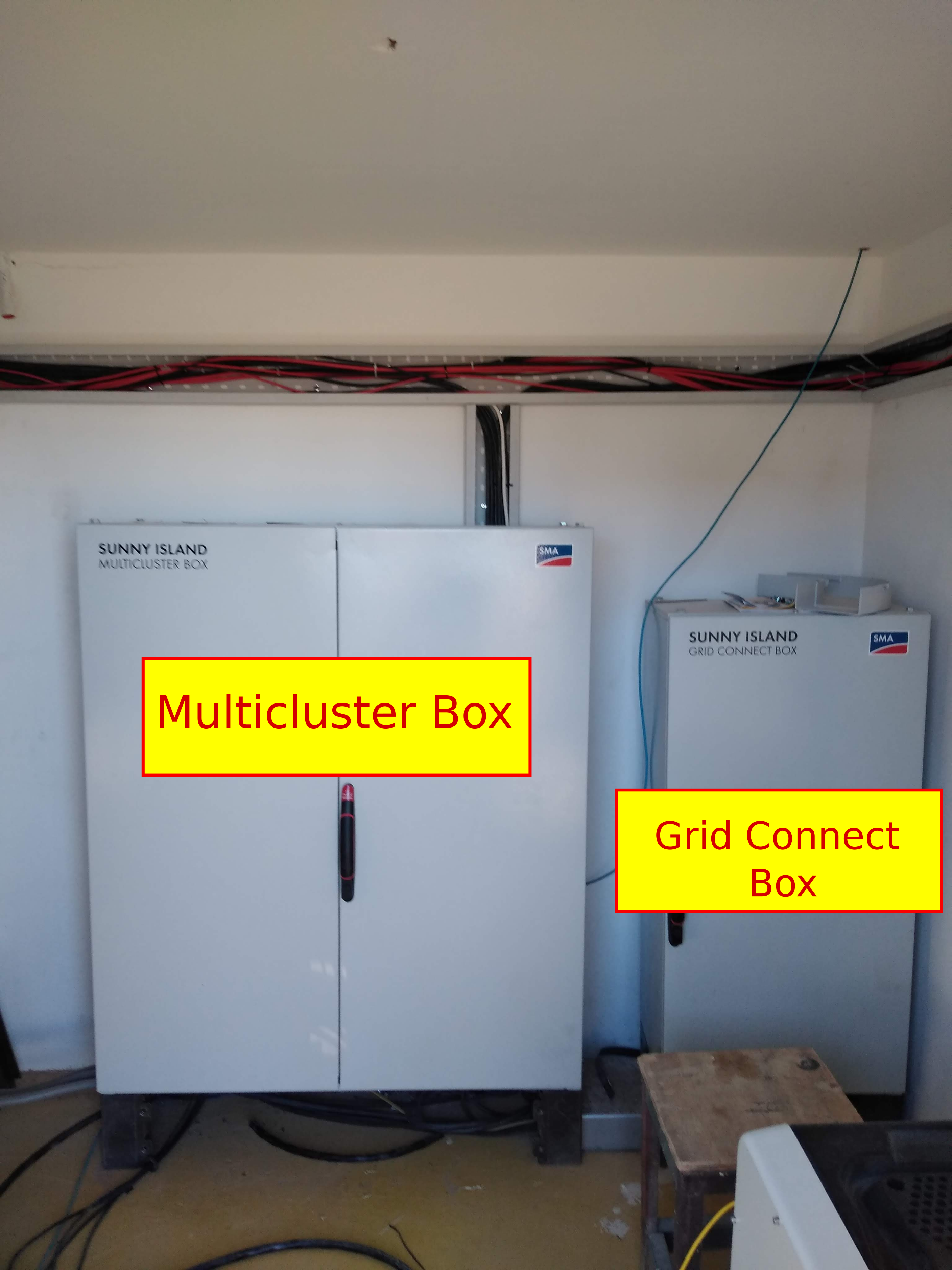
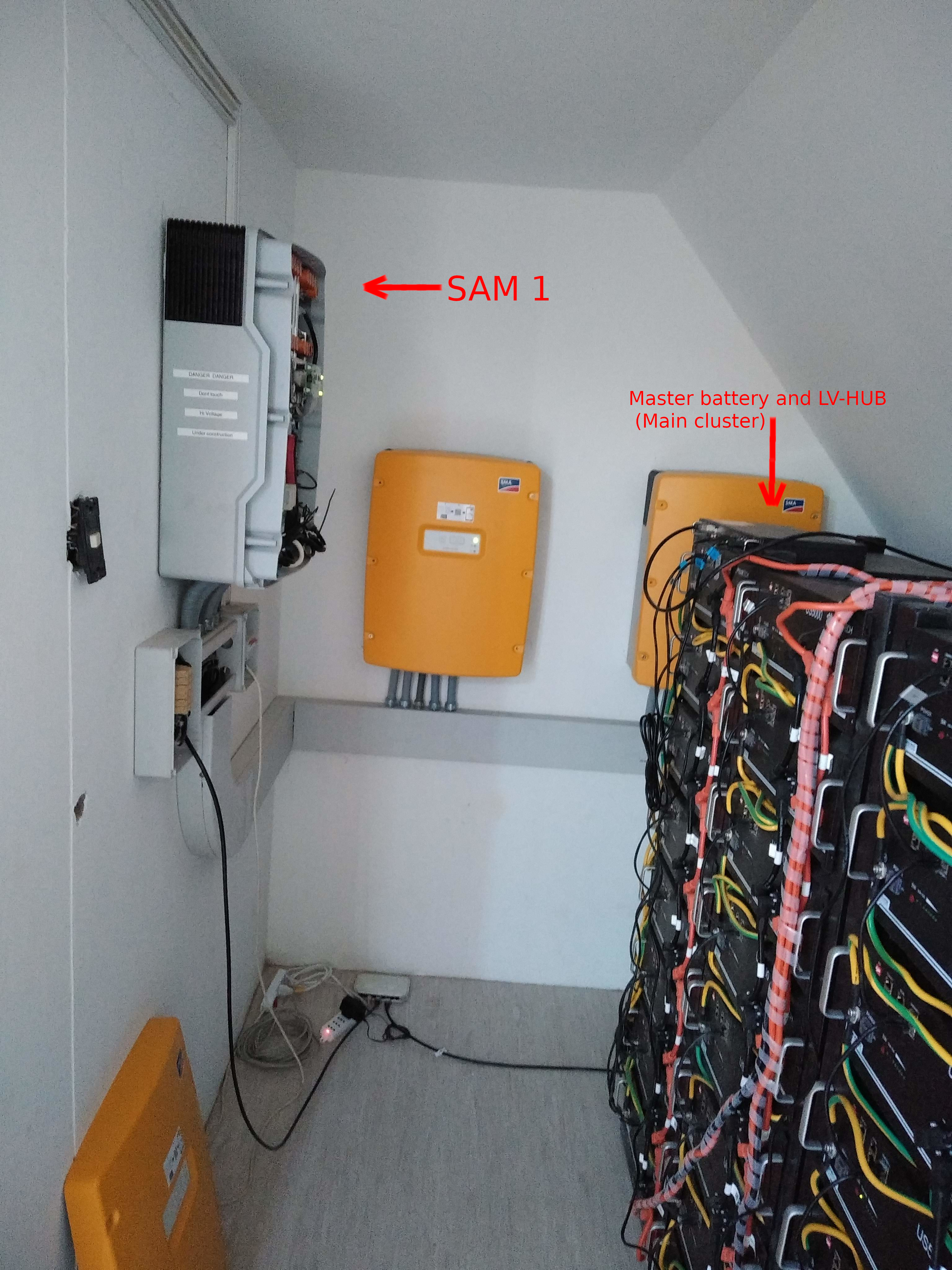
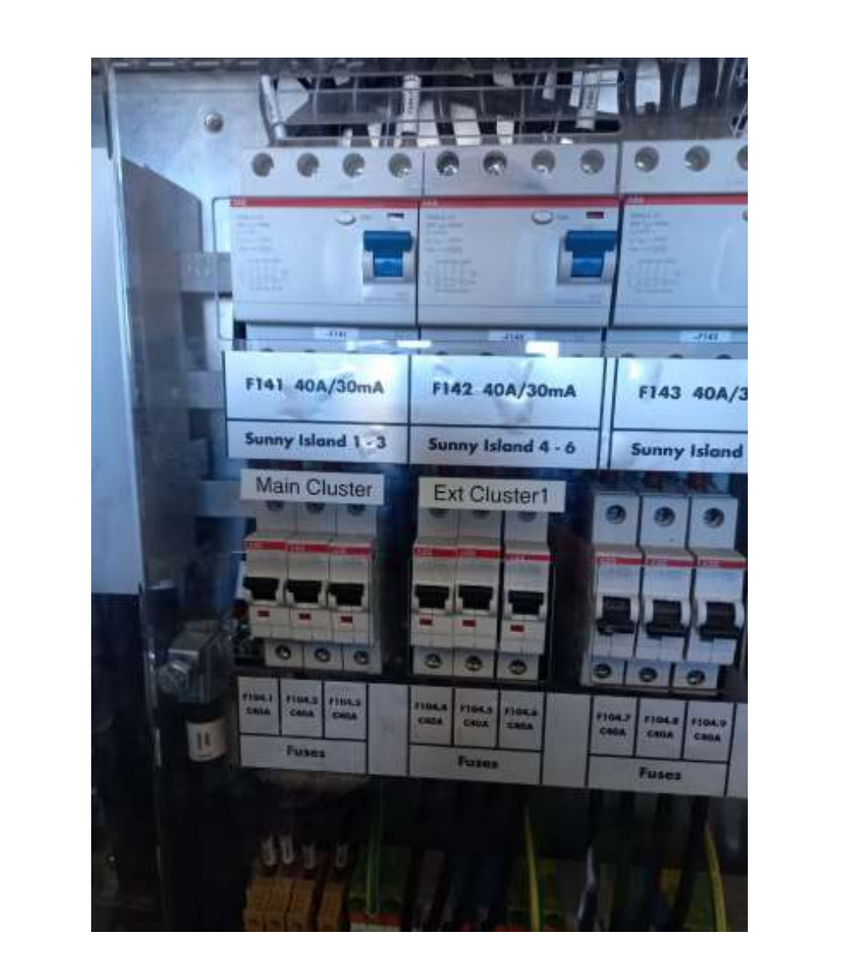
The main "brain" of the electric system is the Multicluster Box located in the Electric building (see Fig. 3). The Sunny Tripower Inverter is connected to the Multicluster Box. The solar energy which is not used instantly is stored in the batteries located in the Battery building. We have 64 Pylontech lithium ion 48V batteries. Capacity of a single battery is 4.8kWh, which gives 307kWh of the total energy that can be stored. The batteries are divided into two clusters, each of them is connected to three Sunny Island inverters (they are in the Battery room as well, see Fig. 4) in order to provide 3-phase power. The main Sunny Island Inverter, which communicates with the Multicluster Box is SAM 1. Sunny Data Manager is also connected to the Multicluster Box, and it is responsible for the energy flow monitoring.
During the day we use the energy produced by the solar panels and the excess of the energy (produced by solar panels but not used instantly) is stored in the batteries as long as they are not full (below 100%). When batteries are full, solar panels cannot produce more energy than we can use instantly (Multicluster Box limits the power of the solar panels in such situation) so it is best time to do the laundry, cook, use a dishwasher etc. to consume more energy from the solar panels. During the night we use the energy which is stored in the batteries. Batteries can be discharged to the level of 20%, but try to keep them above 30% (deep discharge will shorten their lifetime).
Monitoring of batteries, solar power and consumption
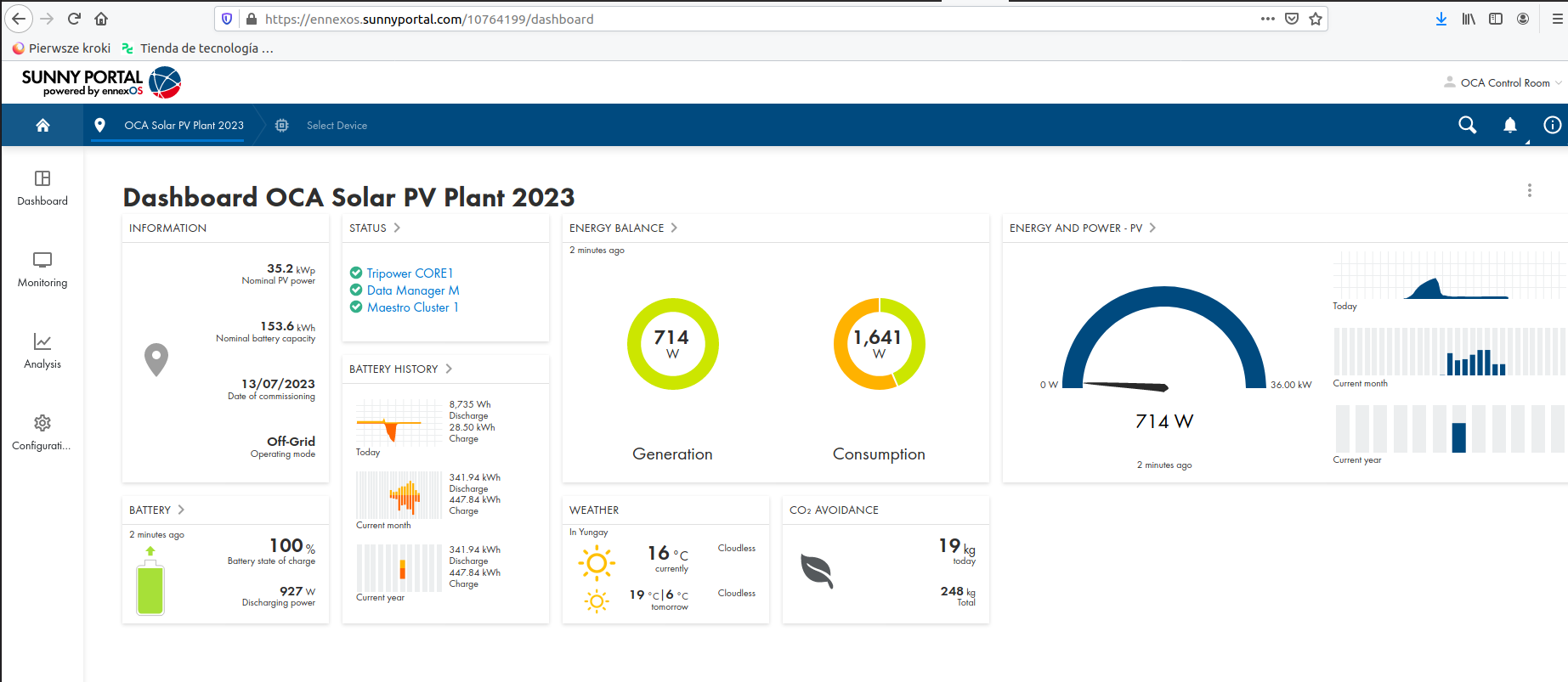
To monitor the state of the batteries and current power consumption and solar panels power (and history of these parameters) go to the Sunny Portal https://ennexos.sunnyportal.com (works also remotely but instant measurements are not available). Username: ocacontrolroom@gmail.com, the standard observer password followed by "A" and an exclamation mark.
Problems with the solar power plant
In the case of any problems with energy (e.g. when energy is not produced during the day, blackout etc.) remember about
two things: DO NOT PANIC and YOUR SAFETY IS THE ABSOLUTE PRIORITY,
so follow the instructions but if nothing helps, do not try to improvise.
If you are afraid that you may lose the energy, email OCM-tech@camk.edu.pl or WhatsApp observers group
before doing anything, and let us know that you have some problems.
We monitor the electric system remotely, and we have the automated notification about blackouts,
so we will be aware should you lost the power.
Important machines are powered through uninterruptible power supply (UPS),
which allow to keep them working for at least 20 minutes after the blackout,
so you have time to contact OCM-tech and close the telescopes (if they haven't closed automatically).
Most of the problems is due to the electronics, so the reset of the system should help. We have also the possibility to bypass the Multicluster Box, and use the energy from the diesel generator so you will not be left without the energy in the middle of Atacama Desert. In the worst case you will have to go to Paranal, and wait there for the problem to be solved.
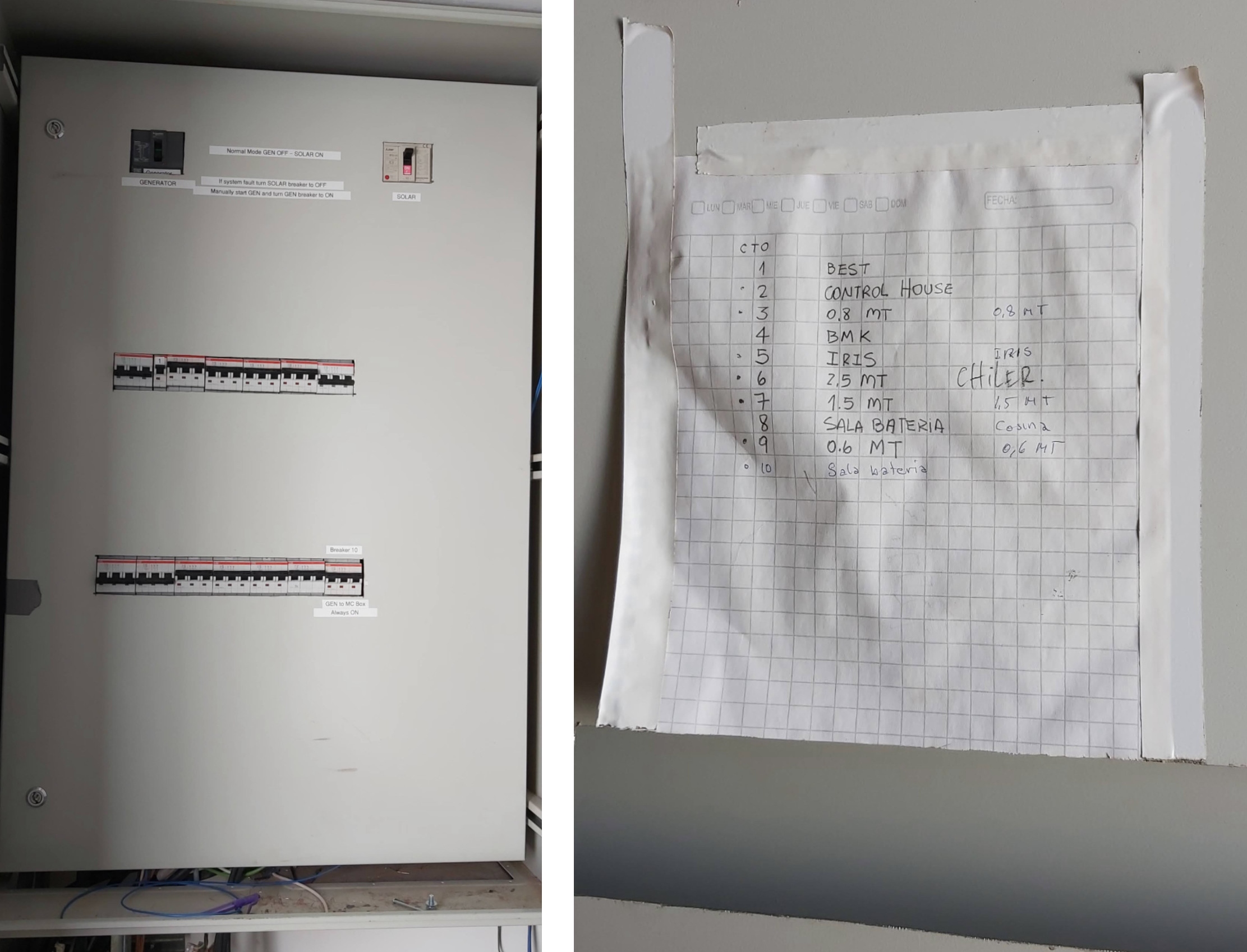
First of all try to identify the source of a problem. If there is no power in the main building but in the domes everything is fine, most probably some machine made the short circuit and triggered some fuse in the fuse box in the server room. Try to identify which fuse was triggered and which machine caused the short circuit. Disconnect the machine and switch the fuse back to ON position. If it didn't help, check the corresponding fuse in the Tablero General (TG, the main fuse box) in Electric building, Fig. 6.
If electricity was cut from all the buildings, most probably there is some problem with the solar power plant/batteries. Check in the Sunny Portal the level of batteries (it should be above 15%).
Procedure 1: Soft reset
- Go to the Battery building
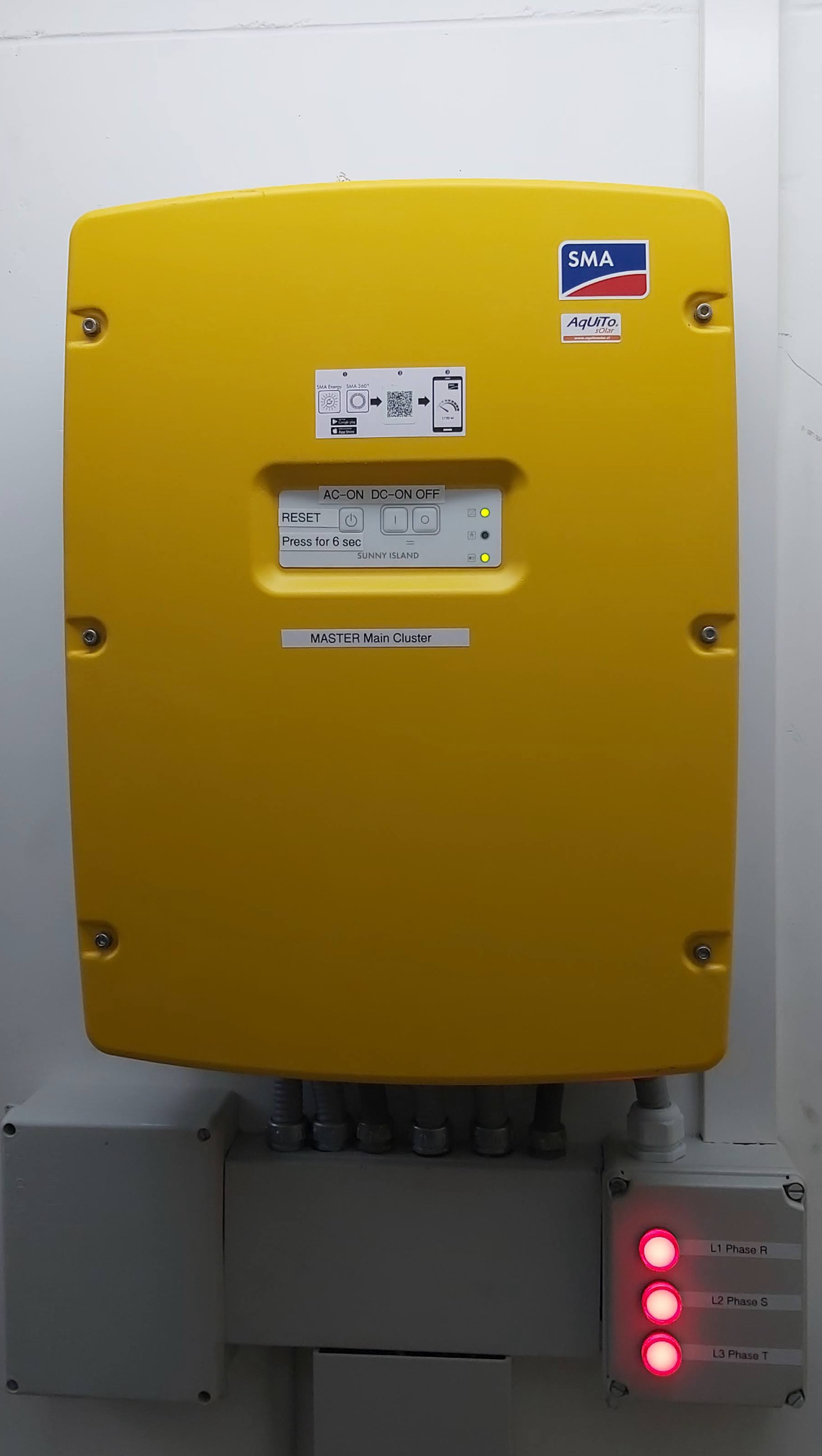
- On Master Main Cluster inverter (Fig. 7) press and hold for 6 seconds AC-ON (left) button (turn off the alternating current).
- The system will now reset all 6 inverters.
- After about 1-2 minutes the system should be up again and contactors will be closed (which means that power is going to the Multicluster Box). If everything is fine you should see a green LED on each inverter. If you see orange lights try to repeat the reset procedure.
- If something is still wrong (orange LEDs), go to the Electric building and check if fuses of clusters in the Multicluster Box are in the position like in Fig. 9. Then repeat the reset procedure.
- If the problem is still not solved try the next procedure.
Procedure 2: Reset
- Go to the Battery building.
- On Master Main Cluster inverter (Fig. 7) press and hold for 6 seconds DC-OFF (right) button (cut the batteries from the inverter). Both clusters will reset automatically.
- Continue with Procedure 1.
Procedure 3: Hard reset
- Go to the Battery building.
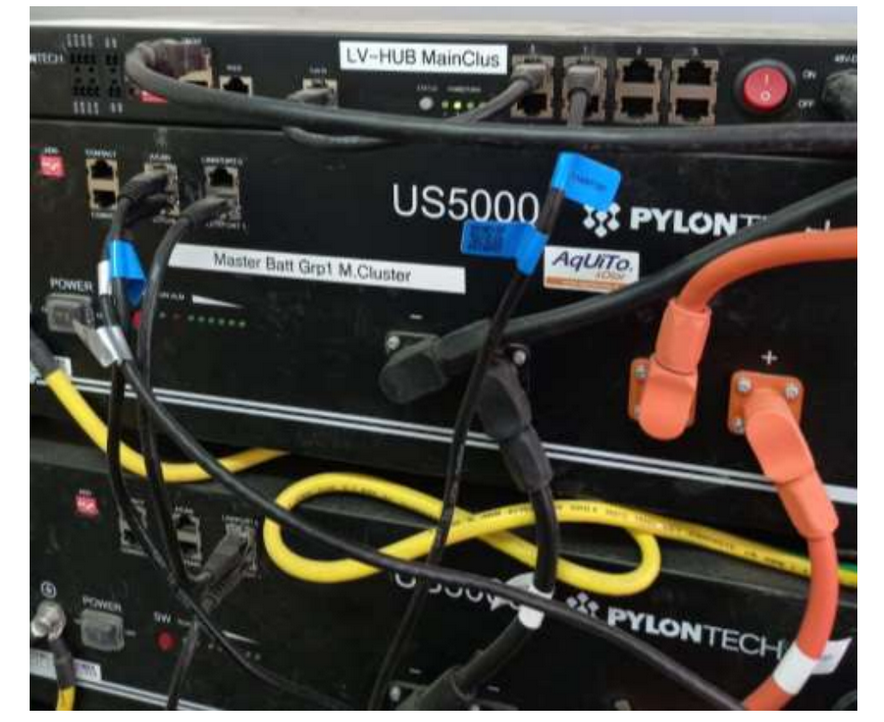
- Turn OFF Master Batt Grp1 M. Cluster (first battery of the Main Cluster, Fig. 9) and Master Batt Grp1 Extension Cluster (read labels on batteries).
- Turn OFF LV-HUB MainClus (Fig. 9) and LV-HUB in Extension Cluster.
- Turn all (64) battery switches to OFF position. Wait until the yellow inverters turn their lights off completely; it might take about 10 minutes.
- Only after the yellow inverters turned off their LEDs, turn all (64) battery back to ON position.
- Press and hold for 3 seconds SW ON button in Main Cluster Master Battery until you see the "wave" of lights going through the batteries - the sign they are rebooting.
- Wait for 3 beeps (sound signal).
- Turn ON LV-HUB in Main Cluster.
- Press and hold for 3 seconds SW ON in Extension Cluster Master Battery.
- Wait for 3 beeps (sound signal).
- Turn ON LV-HUB in Extension Cluster.
- Press and hold AC ON-OFF button on the Master Main Cluster (Fig. 7) until an acoustic signal sounds.
- After about 1-2 minutes the system should be up and contactors closed, then you should have the energy back.
Big Generator
(we have to check if charging the batteries with generator is working!!!)
If the batteries are discharged to the level of 15% and they will not be charged by the Sun soon (e.g. the Sun will be rising in more than 1 hour) you should start the big generator, located next to the Battery building (possibly it will start automatically when the level is 15%, but it has not been checked yet!)
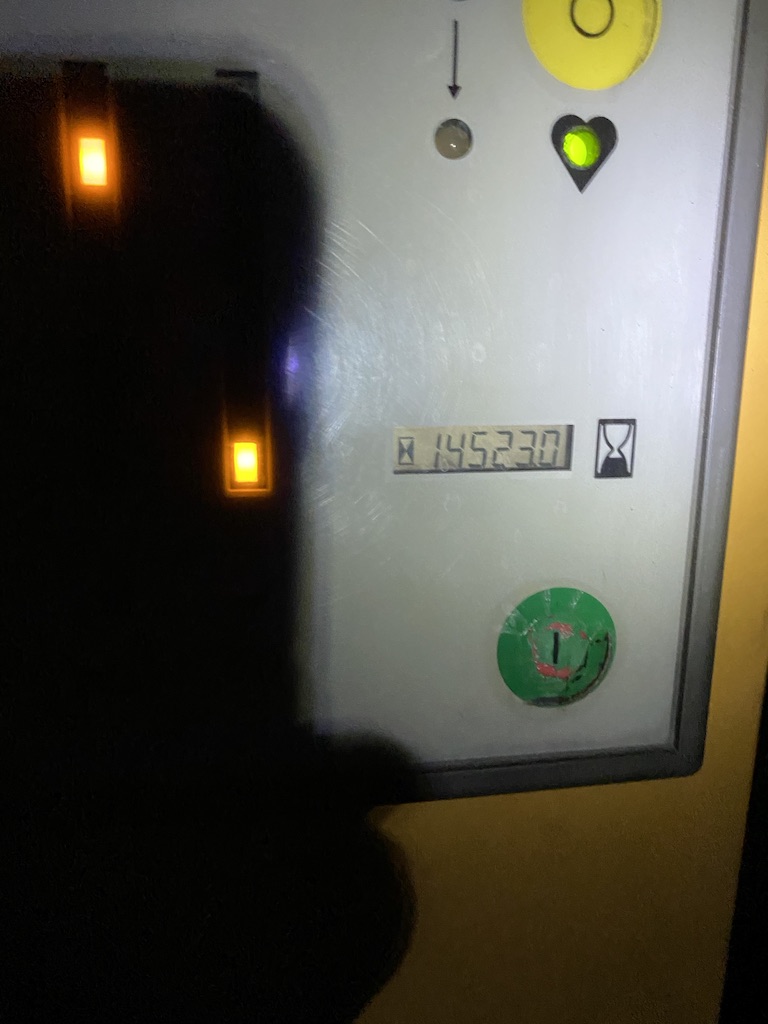
When idle, the generator should be in the standby mode, with is indicated by the green heart-shaped blinking light (see Fig. 10). If it's not the case, push the yellow button to switch to the standby mode.
Starting the big generator manually
- Pres the green button on the front panel.
- Wait one minute, stop it with the yellow button above the heart-shaped LED.
- Check in the Sunny Portal if the batteries are charging.
- Do not run the generator for longer than 6 hours. If you must, give it a 1-h break before resuming.
Red blinking LED
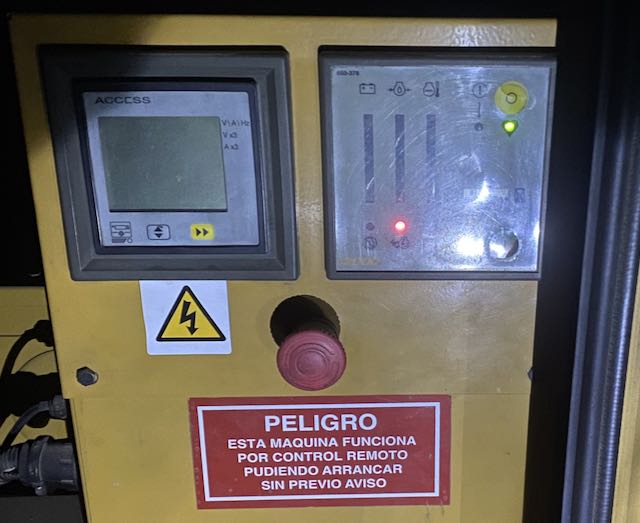
If the generator fails to start, and the red LED on the front panel of the generator is blinking (Fig. 11), turn off and on the generator electronics using the yellow button above the heart-shaped LED. The red LED should stop blinking, and you should be able to start the generator following the above procedure.
Note
The big generator should be checked yearly, or when it has reached 270-350 running hours. This reminder is set in the calendar of the OCA-phone. To schedule the maintenance visit, contact Miguel Murphy (his data are in the OCA-phone, he uses WhatsApp).
Bypass
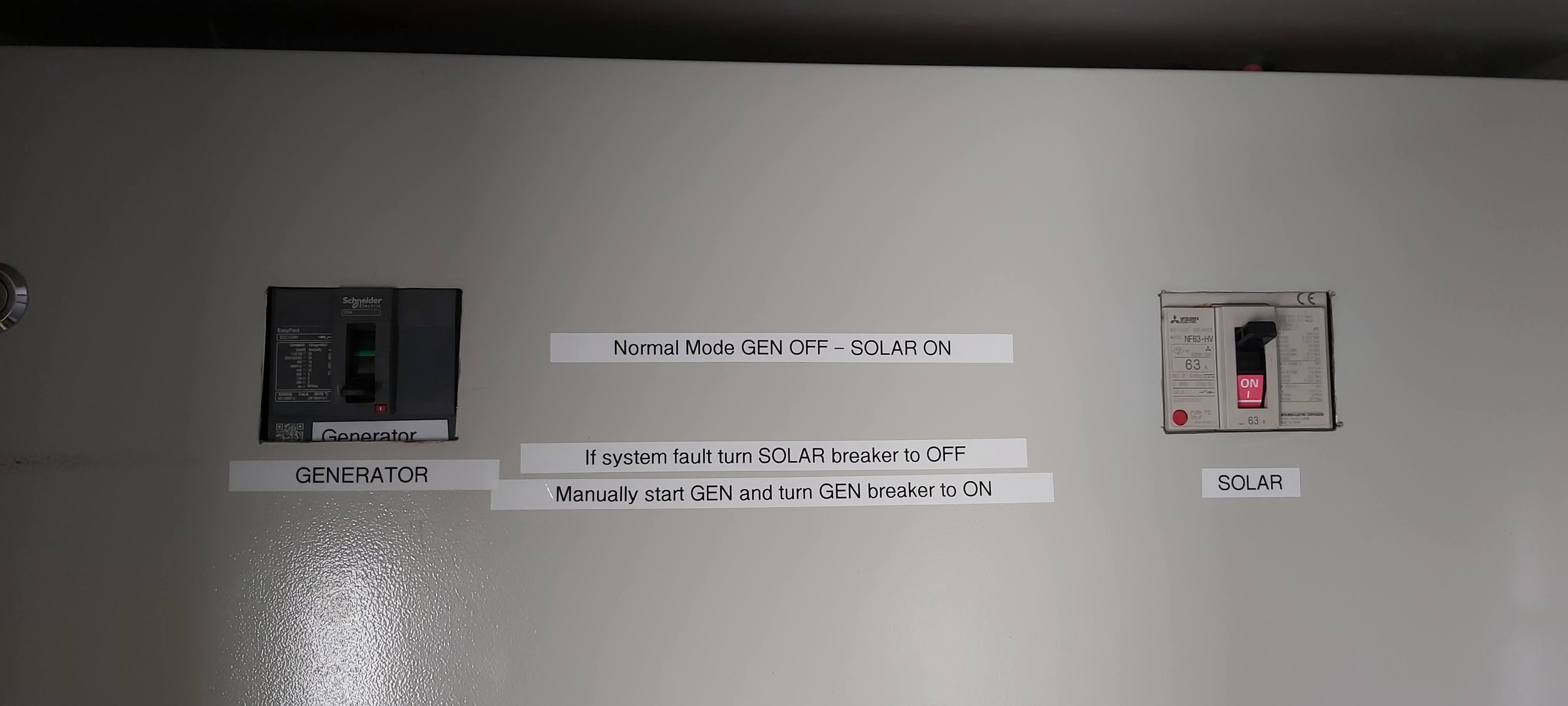
You can disconnect the solar power plant (solar panels and batteries) in the Tablero General (Fig. 12) in the Electric building, and use the power from the generator directly. To do that, first switch off the fuse SOLAR (solar power plant) and then switch on the fuse GENERATOR. It is necessary to do it in this exact order, at any given moment you must have only ONE switch ON, never two! When you want to switch back to the solar power plant, switch off the fuse GENERATOR, and then switch on the fuse SOLAR in Tablero General.
Small Generator
In the case of unrecoverable blackout, or inability of powering the Main building from the main battery system, small generator may be used to deliver power to the main building.
Power of the Small Generator
The small generator maximum power is 5 kW. The server room draws about 1.5 kW itself, but after blackout, when UPSs are charging, the power consumption might be higher. Befor starting the generator, turn off all the unnecessary devices in the main building.
Do not use electric heaters, electric kettles, or other high-power devices when the generator is running.
Turn on the small generator
- Go to electric room, the small generator is located outside.
-
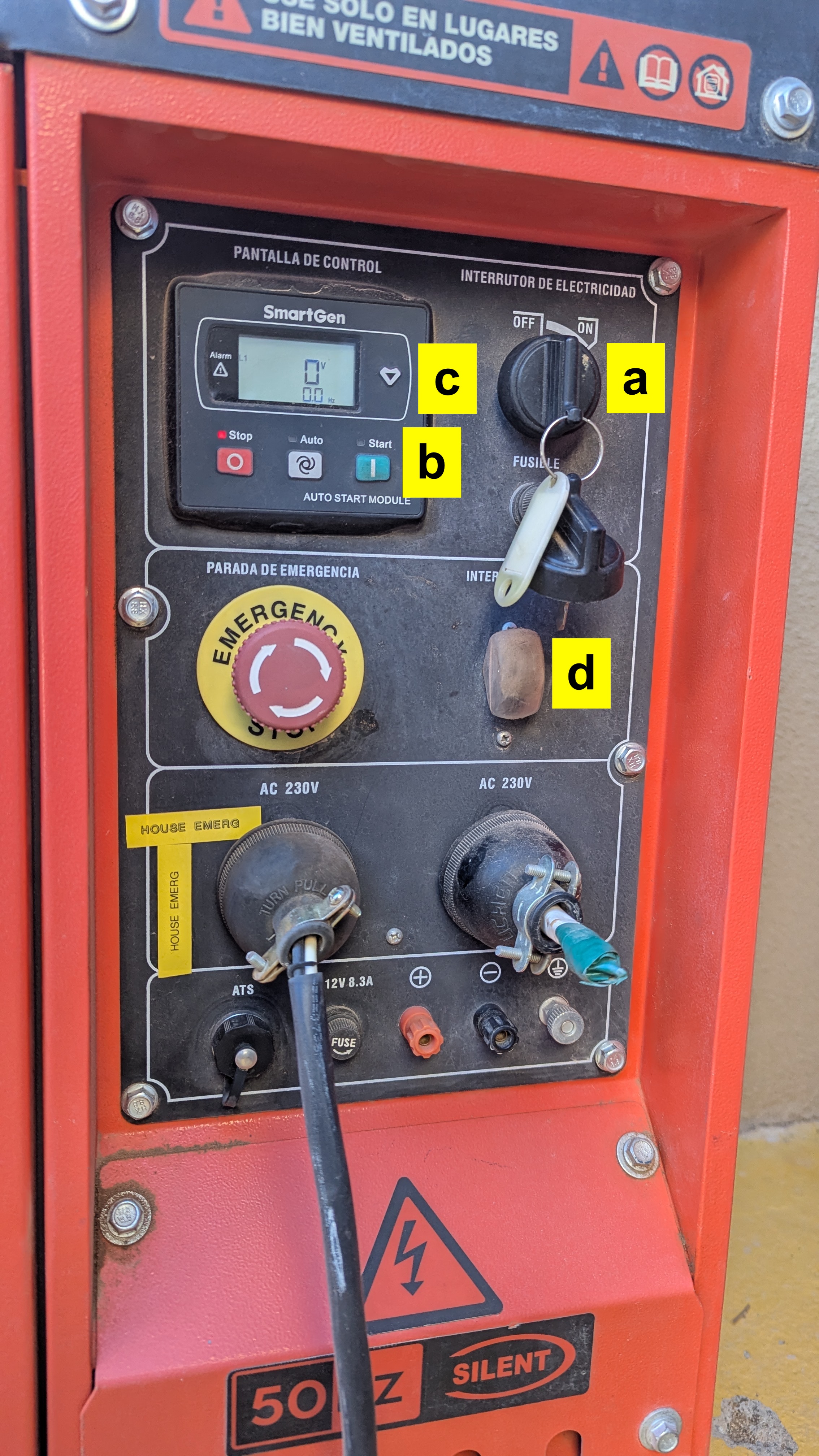
Turn it on (Fig 13):
- Turn the key clockwise by about 30 deg
- Press START. Wait for the generator to start working. It starts like a diesel car. Wait until it stabilizes and 30-60 sec more.
- On the small screen check the voltage, frequence etc. to make sure the generator runs in a stable way.
- Turn the switch UP. It is tricky because it is protected by a little stiff rubber cover. Once it is UP, the energy flows to the main building.
Change the source of energy from solar panels to the small generator
-
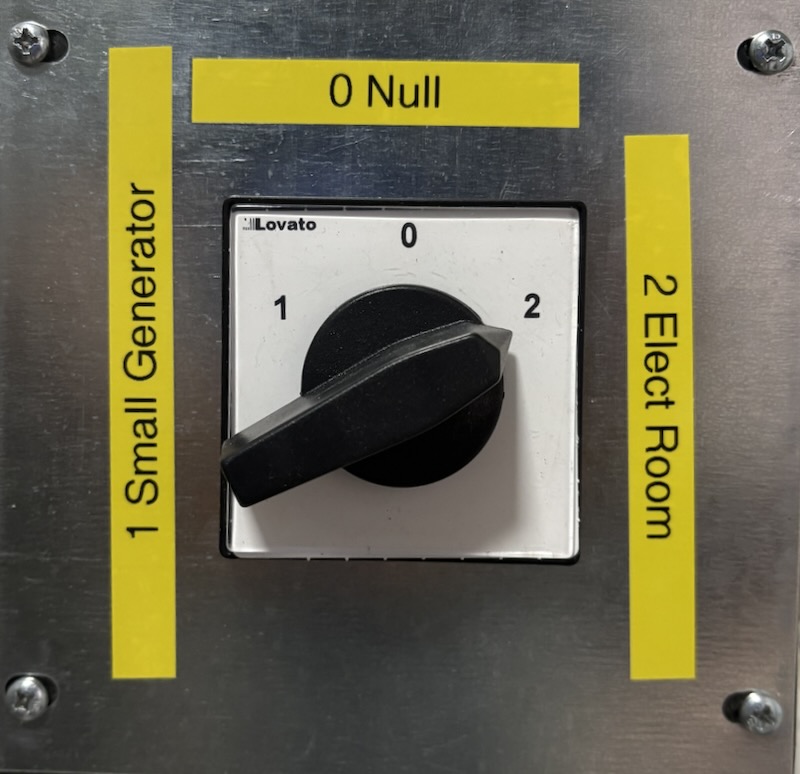
In the server room locate the switch on the wall on the right wall from the entrance (Fig 14).
-
Turn from 2 (energy supplied from solar pannels) through 0 (no energy supply) to 1 (energy supplied from the small generator). Stop gently for a second on 0 to allow the circuits to change without overlapping.
- You will hear a UPS in our rack start working on battery (beeping and clicking), this is because it requires a different frequency/voltage than the generator provides. However, from time to time it quiets and that's the signal that it is in fact being charged from the small generator. With time, the periods of quiet working will get longer than the periods of clicking. In this way, the UPS can work much longer than it says on the screen. Sepecially with every computer turned off (except for Router #1) it lasts about 2h.
- To change the source of energy back to solar panels, turn the lever from 1 through 0 to 2.
Turn off the small generator
- If you are using the small generator as the source of power in the main building, first go to the server room and change the energy source from 2 through 0 back to 1.
- Go to the electric room, the small generator is located outside.
-
Turn it off (Fig 13):
- Press STOP. Listen the generator ceases working (red button next to "b" indicator in the photo)
- Turn the key counter-clockwise by about 30 deg to its initial vertical position (a)
- Turn the switch DOWN (d). It is tricky because it is protected by a little stiff rubber cover. Once it is DOWN, the energy won't flow to the main building.
General overview of the electric installations at OCM
The very first device of the electric installation (connected to the Multicluster Box and the Big Generator) is Tablero General (TG, the main fuse box) in the Electric building (Fig. 6). The electricity is distributed to each building from the TG. There are overcurrent fuses protecting circuits in each building. They are labelled with numbers and description can be found on the door of TG (Fig. 6). If you do not have the power in some building, you should check if the corresponding fuse in TG is ON.
In each dome and building there is another fuse box.
Telescopes domes
To be continued.